| Special tools and workshop equipment
required |
|
|
|
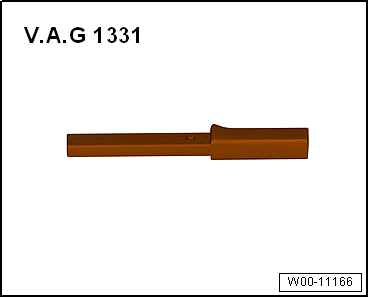
| Torque wrench -V.A.G 1331- |
| Vehicle diagnostic tester |
 Note Note
| Switch off ignition for at least 30 seconds before
disconnecting connector. |
|
|
|
| – |
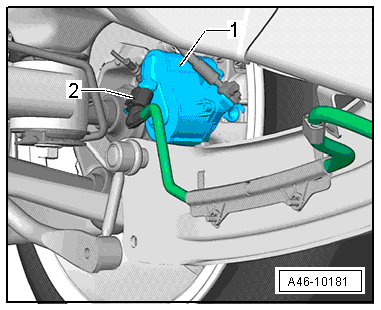
Disconnect connector -2- from
parking brake motor -1-. |
|
|
|
| – |
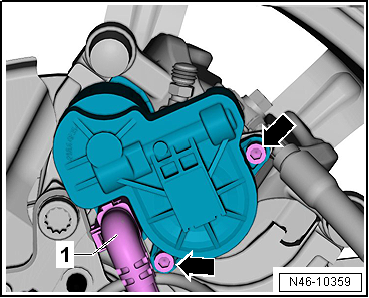
Unscrew both hexagon socket head bolts
-arrows- from parking brake motor. |
| – |
Pull parking brake motor off brake caliper while twisting
parking brake motor back and forth slightly. |
Note
| Take care not to damage annular groove for seal and contact
surface on parking brake motor. |
| – |
Clean annular groove and contact surface of parking brake
motor. |
|
|
|
| – |
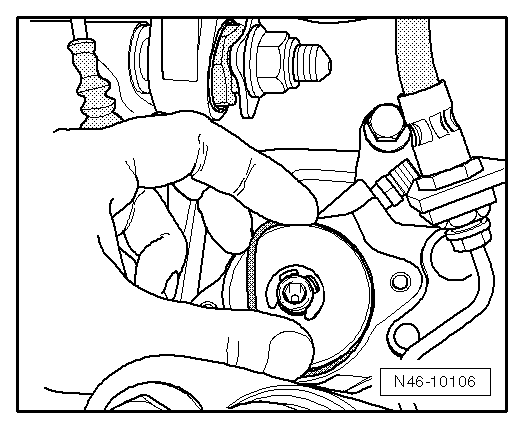
Lightly grease new seal and install it, taking care not to
twist or damage it. |
| – |
Grease Torx socket on input shaft of parking brake motor
completely. |
Note
| The sealing ring must not be allowed to turn out while the
parking brake motor is being installed! |
| – |
Carefully push parking brake motor onto brake caliper while
ensuring that seal is seated correctly. |
Note
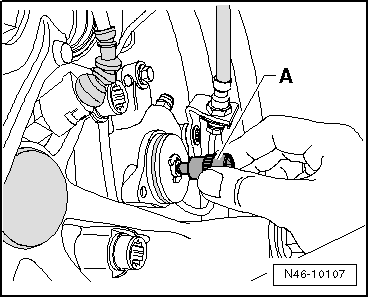
| If necessary, turn input shaft back slightly using an E11
Torx socket -A- until parking brake
motor can be properly fitted. |
|
|
|
| – |
Turn parking brake motor until bolt hole and thread align. |
Note
| Make sure that parking brake motor is flush with brake
caliper. Never pull parking brake motor onto brake caliper using
securing bolts. |
|
|
|
| – |
Position hexagon socket head bolts
-arrows- by hand and tighten them. |
| – |
Carry out basic setting of brake system using
→ Vehicle
diagnostic tester. |
| → Chapter „Overview of fitting locations - parking brake“ |
|
|
|
Questions & answers
Removing and installing parking brake motor -V282-/-V283- — Volkswagen Golf Mk7
How do I remove the Golf Mk7 EPB motor -V282-/-V283-?
Retract the EPB via diagnostics first. Disconnect the connector, unbolt the motor from the caliper and remove. Run basic setting after refitting.
1 -
Hexagon socket head bolt
8 Nm
2 -
Parking brake motor
Left parking brake motor -V282-, fitting location: on ...


