| – |
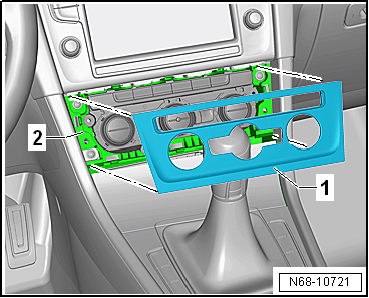
Starting at bottom, unclip trim for operating and display
unit -1- from operating and display
unit -2- and remove it. |
 Note Note
| Before installing, check all fasteners for damage and renew
if necessary. |
| Installation is carried out in reverse order. |
|
|
 |
Questions & answers
Removing and installing trim for operating and display unit — Volkswagen Golf Mk7
How do I remove the Golf Mk7 infotainment trim surround?
Starting at the bottom, unclip the trim from the operating and display unit and remove.
Note
Removal and installation is described for the centre console
trim in footwell on driver side. Follow same instructions for
the front passenger sid ...
Removing
–
Remove trim for operating and display unit
→ Chapter.
–
Unclip front storage ...


