 Note Note
| Removal and installation are described for the left
vehicle side. Follow same instructions for the right side as
appropriate. |
|
|
|
| – |
Remove seat trim on sill side
→ Chapter. |
| Installation is carried out in reverse order. |
|
|
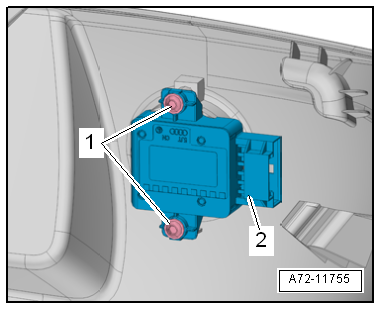
|
| Component |
Specified
torque |
| Bolt -1- |
1 Nm |
Questions & answers
Removing and installing lumbar support adjustment switch -E176-/-E177- — Volkswagen Golf Mk7
How do I remove the Golf Mk7 lumbar support switch?
Left side described; right similar. Unclip the switch from the seat side panel and disconnect the connector.
Special tools and workshop equipment
required
Torque wrench -V.A.G 1783-
Removing
...
Special tools and workshop equipment
required
Special pop rivet pliers -V.A.G 1753B-
...


