
Volkswagen Golf Mk7 Owners Manual: Displays
Fig. 172 shows the distance warning display and Fig. 173 the advance warning display in the Volkswagen Golf Mk7 instrument cluster. This page explains what triggers each: the distance warning fires when the gap to the vehicle ahead drops below a safe minimum, escalating to the advance warning if a collision becomes imminent.
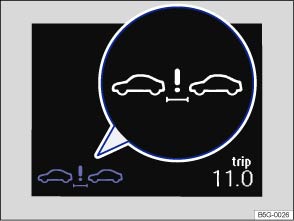
Fig. 172 In the instrument cluster display: distance warning display
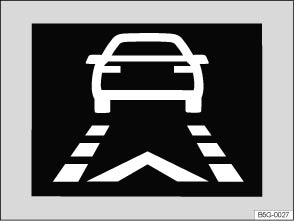
Fig. 173 The display in the instrument cluster: advance warning display
 First read and observe the introductory information
and safety warnings
First read and observe the introductory information
and safety warnings Distance warning
If the safe distance to the vehicle in front drops below the minimum level, a distance warning will appear in the instrument cluster display (close-up).
Increase the distance.
Advance warning
The system detects a potential collision with a vehicle in front 1).
Brake or take avoiding action! Depress the brake pedal if necessary.

 WARNING
- Never ignore illuminated warning lamps and displays.

When Front Assist is switched on, the display in the instrument cluster can be overwritten by displays related to other functions, e.g. an incoming telephone call.
1) Displayed in colour on an instrument cluster with colour display.
Questions & answers
Displays — Volkswagen Golf Mk7

