Using removal wedge -3409- and torque wrench -V.A.G 1783-, this page covers removing the Volkswagen Golf Mk7 armrest mounting plate — open the front centre armrest, then unclip the trim strip before removing the bolts.
| Special tools and workshop equipment
required |
|
|
|
| |
|
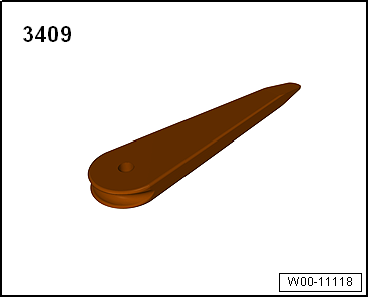
Removal wedge -3409 |
| |
|
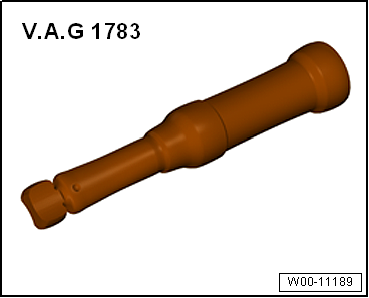
Torque wrench -V.A.G 1783- |
| – |
Open front centre armrest. |
| – |
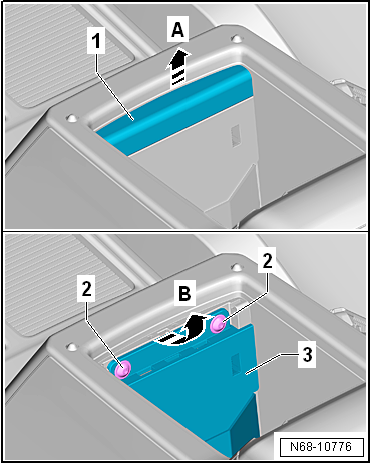
Unclip trim strip -1- in
-direction of arrow A- using
removal wedge -3409-, and remove it. |
| – |
Carefully remove mounting plate with retaining strap
-3- in
-direction of arrow B-, until connectors are accessible. |
| – |
Disconnect connectors on mounting plate with retaining strap
-3-, and remove mounting plate with
retaining strap. |
 Note Note
| Before installing, check all fasteners for damage and renew
if necessary. |
| Installation is carried out in reverse order. |
|
|
|
| Component |
Specified torque |
| Mounting plate with retaining
strap on centre console |
1.5 Nm |
Questions & answers
Removing and installing mounting plate with retaining strap — Volkswagen Golf Mk7
How do I remove the Golf Mk7 armrest mounting plate?
Open the front centre armrest, unclip the trim strip with removal wedge -3409-, unbolt and remove the plate.
Special tools and workshop equipment
required
Torque wrench -V.A.G 1783-
...
Special tools and workshop equipment
required
Removing
Front bracket
...

 Removing and installing centre console insert
 Removing and installing centre console retainer, for all vehicles except
e-Golf
Removing and installing centre console retainer, for all vehicles except
e-Golf